

KeepStreams for JioHotstar
v2.0.4.4 | Last Update: 10/22/2026
KeepStreams for JioHotstar
Windows
|
macOS
Why Choose KeepStreams for JioHotstar?
Keep Playable Titles Beyond the App
JioHotstar and Hotstar viewing can depend on account access, regional catalogues, supported apps, and changing replay availability. KeepStreams lets you save programmes you are already authorized to play as local MP4 or MKV files, giving you a more flexible way to watch offline on a laptop, TV, tablet, or media server.
KeepStreams does not unlock unavailable titles, create subscription access, or bypass regional restrictions. You must be able to play the selected content through your own account first.
KeepStreams does not unlock unavailable titles, create subscription access, or bypass regional restrictions. You must be able to play the selected content through your own account first.

Preserve the Best Available Picture and Sound
KeepStreams brings the important technical choices into one download workflow: up to 4K where offered, 1080p and 720p alternatives, HDR10 or Dolby Vision, H.264 or H.265, and available Dolby Atmos, EAC3 5.1, or AAC 2.0 audio.
For JioHotstar UK, KeepStreams currently supports downloads up to 1080p SDR with AAC audio, while supported India streams may offer a wider range of quality, HDR, and audio options.
For JioHotstar UK, KeepStreams currently supports downloads up to 1080p SDR with AAC audio, while supported India streams may offer a wider range of quality, HDR, and audio options.
Build Your JioHotstar Offline Library
KeepStreams combines support for accessible JioHotstar content, batch downloading, subtitles, language selection, local playback, and metadata in one desktop tool. Save films for a flight, keep a series ready for a commute, or organize replay content before it leaves the service.
New users can test the JioHotstar module with up to 3 full-length downloads before deciding whether to purchase a license.
New users can test the JioHotstar module with up to 3 full-length downloads before deciding whether to purchase a license.
Top Features of KeepStreams for JioHotstar
Regional
Support
Support
High-Quality Download
Selectable
Audio Tracks
Audio Tracks
Batch
Download
Download
Languages and Subtitles

Choose Languages and Save Available Subtitles
JioHotstar and Hotstar serve audiences across languages and formats. KeepStreams lets you choose from the audio and subtitle options made available for the title, helping you build a library that matches the way you watch.
Save available subtitles with the video and keep the language you need for dialogue-heavy dramas, regional films, sports replays, and entertainment shows. The result is more comfortable offline viewing on the device of your choice.
Save available subtitles with the video and keep the language you need for dialogue-heavy dramas, regional films, sports replays, and entertainment shows. The result is more comfortable offline viewing on the device of your choice.

Save JioHotstar Content from India and the UK
Whether you use JioHotstar in India or the UK, KeepStreams helps you save the movies, series, shows, and replay programmes already available to your account. KeepStreams works with programmes already available through your account, while your existing subscription and regional access requirements continue to apply.
Save an accessible title as a local video file and watch it offline during travel, commuting, or in places where your connection is unreliable. Your account access and the platform's regional availability still apply.
Save an accessible title as a local video file and watch it offline during travel, commuting, or in places where your connection is unreliable. Your account access and the platform's regional availability still apply.

Download JioHotstar Videos in Up to 4K Quality
KeepStreams detects the quality options offered for each JioHotstar or Hotstar title and can download supported content in up to 4K, with 1080p and 720p choices when those are the available streams. HDR-capable titles can retain HDR10 or Dolby Vision for a more vivid picture on compatible displays.
For JioHotstar UK, KeepStreams currently supports downloads up to 1080p SDR with AAC audio. Supported India streams may offer a wider range of resolution, HDR, and audio options, depending on the source.
For JioHotstar UK, KeepStreams currently supports downloads up to 1080p SDR with AAC audio. Supported India streams may offer a wider range of resolution, HDR, and audio options, depending on the source.
Keep Dolby Atmos, EAC3 5.1, and AAC 2.0 Audio
Dialogue, music, and surround effects matter just as much as picture quality. KeepStreams can preserve the available audio track, including Dolby Atmos, EAC3 5.1, or AAC 2.0, so your downloaded files sound right on headphones, TVs, and home-theater systems.
It also supports H.264 and H.265 video codecs. Choose the codec that best fits your playback device, storage plan, and preferred balance between compatibility and file size.
It also supports H.264 and H.265 video codecs. Choose the codec that best fits your playback device, storage plan, and preferred balance between compatibility and file size.
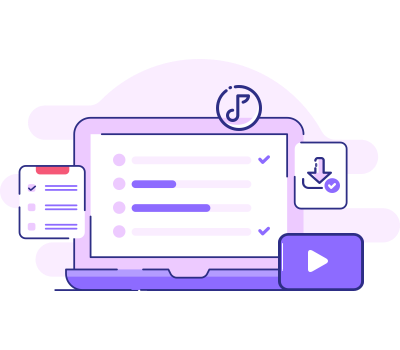
Batch Download Movies, Series, Shows, and Replays
A weekend watchlist can quickly turn into a long sequence of manual clicks. KeepStreams lets you select multiple JioHotstar or Hotstar titles and add them to one batch download queue.
Queue a full series, several films, variety shows, or replay episodes together, then apply your preferred quality, audio, subtitle, and output settings. Available metadata stays with the files to make later sorting easier.
Queue a full series, several films, variety shows, or replay episodes together, then apply your preferred quality, audio, subtitle, and output settings. Available metadata stays with the files to make later sorting easier.
Choose Languages and Save Available Subtitles
JioHotstar and Hotstar serve audiences across languages and formats. KeepStreams lets you choose from the audio and subtitle options made available for the title, helping you build a library that matches the way you watch.
Save available subtitles with the video and keep the language you need for dialogue-heavy dramas, regional films, sports replays, and entertainment shows. The result is more comfortable offline viewing on the device of your choice.
Save available subtitles with the video and keep the language you need for dialogue-heavy dramas, regional films, sports replays, and entertainment shows. The result is more comfortable offline viewing on the device of your choice.
Save JioHotstar Content from India and the UK
Whether you use JioHotstar in India or the UK, KeepStreams helps you save the movies, series, shows, and replay programmes already available to your account. KeepStreams works with programmes already available through your account, while your existing subscription and regional access requirements continue to apply.
Save an accessible title as a local video file and watch it offline during travel, commuting, or in places where your connection is unreliable. Your account access and the platform's regional availability still apply.
Save an accessible title as a local video file and watch it offline during travel, commuting, or in places where your connection is unreliable. Your account access and the platform's regional availability still apply.
Choose Your Plan
OS: Windows
Switch
KeepStreams for JioHotstar
Monthly Plan (Paid Monthly)
View Yearly Plan >
USD 34.99/mo
What you get:
- KeepStreams for JioHotstar
- Cancel anytime
- 7-day money-back guarantee
Best Value
KeepStreams for JioHotstar
Lifetime Plan (One-Time Purchase)
USD124.99
USD 99.99
20% off
What you get:
- KeepStreams for JioHotstar
- Lifetime use
- 14-day money-back guarantee

KeepStreams One
Lifetime Plan (One-Time Purchase)
USD385.99
USD 269.99
30% off
What you get: See what’s included
- 40+ video downloaders
- Lifetime use
- 14-day money-back guarantee
How to Download JioHotstar Videos on PC or Mac?
Step 1
Step 2
Step 3
Open KeepStreams and Choose JioHotstar
Launch KeepStreams, open VIP Services, and select JioHotstar. Sign in to the JioHotstar account that can play the title you want to save.

Play the Movie, Series, or Replay You Want
Browse the available library and play a movie, series episode, show, or replay programme. KeepStreams will analyze the video and load the quality, audio, subtitle, and language options available for that title.
Adjust Settings and Start Downloading
Choose the available resolution, HDR option, codec, audio track, subtitle language, and MP4/MKV format. Click Download Now, or add several titles to the batch queue for later processing.
More Features of KeepStreams
Easy Management
Automatically save cover art, titles, and match details to keep your personal sports collection perfectly organized and easy to navigate.
Watch on Any Device
Download videos in MP4 or MKV formats for seamless playback on your phone, tablet, game console, or Smart TV—no restrictions attached.
10x Faster Downloads
Save time with GPU acceleration. Download full-length matches and events in minutes, not hours, with high-speed processing.
One-Click Direct Download
No need to copy links. Use the built-in browser to access your favorite streaming services, find your match, and start downloading instantly.
Tech Specs
- Windows 11/10 / macOS 12.0 or newer
- Intel i3 or above / Core 2 Quad or above
- 4GB of RAM or above
- 40GB of free hard disk space or above
- Live internet connection required
*KeepStreams is for individual use only; sharing downloaded content with others is not allowed.