

KeepStreams for ZDF
v2.0.4.4 | Last Update: 10/22/2026
The Best ZDF Video Downloader for Windows and Mac
Windows
|
macOS
Why Choose KeepStreams for ZDF?
Break Official Limits
ZDF Mediathek allows offline viewing on its mobile app, but it has strict rules that can be frustrating for viewers:
- Mobile Only: You can only download officially on phones or tablets. It's impossible to save shows to your PC or Mac for better viewing on a big screen.
- Locked Files: The downloaded files are locked inside the app. You cannot move them to a USB drive or play them on other media players.
- Risk of Expiration: Due to licensing (Depublizierung), most ZDF content is removed after 7 or 30 days. Even your official downloads will disappear once the period ends.

High-Quality Downloads
Streaming quality can drop based on your internet connection, and official mobile downloads often limit the resolution to save space. Don't worry, KeepStreams for ZDF can easily solve the low quality problem.
This ZDF video downloader ensures you get the full 1080p HD video with AAC 2.0 audio. Whether it's a nature documentary or a TV drama, you can save the original quality on your laptop or Smart TV without any buffering or pixelation.
This ZDF video downloader ensures you get the full 1080p HD video with AAC 2.0 audio. Whether it's a nature documentary or a TV drama, you can save the original quality on your laptop or Smart TV without any buffering or pixelation.
All-in-One Solution
Great content is not limited to just one platform. You probably watch shows from many different places. You might watch news on ZDF, documentaries on ARD or Arte, and movies on Netflix or YouTube.
As an all-in-one downloader, KeepStreams is the perfect solution for this. Besides ZDF, it works with ARD, YouTube, Netflix, and over 3,000 other sites. With just one software (KeepStreams One), you can save all your favorite programs from different platforms and build your own complete, permanent offline library.
As an all-in-one downloader, KeepStreams is the perfect solution for this. Besides ZDF, it works with ARD, YouTube, Netflix, and over 3,000 other sites. With just one software (KeepStreams One), you can save all your favorite programs from different platforms and build your own complete, permanent offline library.
Top Features of KeepStreams for ZDF
High-Quality Download
Batch
Download
Download
Automatic
Download
Download
Selectable
Audio Tracks
Audio Tracks
Advertisement Removal
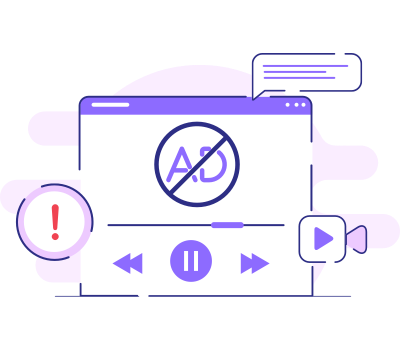
Remove Ads and Enjoy Uninterrupted Viewing
Even public streaming services can have sponsored content or intros. KeepStreams ZDF video downloader automatically detects and removes all commercials during the download process. It can ensure a seamless, ad-free offline experience from the first second to the last.
Download ZDF Video in 1080p HD
Quality is our priority. This ZDF video downloader allows you to save your favorite documentaries and series from ZDF in full HD (1080p) with AAC 2.0 audio. You can enjoy videos downloaded from ZDF without Internet connection, just like watching them live online.
Compatibility is never an issue with KeepStreams. You can choose to save your downloads in MP4 or MKV format. In this way, you can transfer your downloaded ZDF content to iPhone, iPad, Android tablet, smart TV, or other devices without needing extra conversion tools.
Compatibility is never an issue with KeepStreams. You can choose to save your downloads in MP4 or MKV format. In this way, you can transfer your downloaded ZDF content to iPhone, iPad, Android tablet, smart TV, or other devices without needing extra conversion tools.
High-Speed Batch Download
Stop wasting time downloading episodes one by one. KeepStreams for ZDF has a Batch Mode that helps save a lot of videos at the same time. Just tick the episodes you want to download, click on "Download Now", and every task will be added.
With GPU Acceleration tech, you can even build your personal offline library in just a few minutes. It's the perfect tool for binge-watching your favorite German series offline.
With GPU Acceleration tech, you can even build your personal offline library in just a few minutes. It's the perfect tool for binge-watching your favorite German series offline.
Automatically Download New Episodes
Although ZDF doesn't provide an official auto-downlwoad function like Prime Video, you can still schedule KeepStreams to automatically save new episodes of your favorite ZDF TV series as soon as they are uploaded to the platform. Just tick "Download new episodes automatically" in the setting window and pick your preferred time (such as: every Friday 8 pm). Leave the remaining tasks for KeepStreams. It will keep your offline library updated without any manual effort. Never miss a new release again!
Selectable Audio Tracks and Save Subtitles
KeepStreams gives you full control over audio and subtitles. You can choose to save subtitles as external SRT files or embed them into the video.
We also support downloading subtitles and audio in different languages (as long as they're provided). This is extremely helpful for international viewers who want to enjoy ZDF shows with their preferred language settings.
We also support downloading subtitles and audio in different languages (as long as they're provided). This is extremely helpful for international viewers who want to enjoy ZDF shows with their preferred language settings.
Remove Ads and Enjoy Uninterrupted Viewing
Even public streaming services can have sponsored content or intros. KeepStreams ZDF video downloader automatically detects and removes all commercials during the download process. It can ensure a seamless, ad-free offline experience from the first second to the last.
Download ZDF Video in 1080p HD
Quality is our priority. This ZDF video downloader allows you to save your favorite documentaries and series from ZDF in full HD (1080p) with AAC 2.0 audio. You can enjoy videos downloaded from ZDF without Internet connection, just like watching them live online.
Compatibility is never an issue with KeepStreams. You can choose to save your downloads in MP4 or MKV format. In this way, you can transfer your downloaded ZDF content to iPhone, iPad, Android tablet, smart TV, or other devices without needing extra conversion tools.
Compatibility is never an issue with KeepStreams. You can choose to save your downloads in MP4 or MKV format. In this way, you can transfer your downloaded ZDF content to iPhone, iPad, Android tablet, smart TV, or other devices without needing extra conversion tools.
Choose Your Plan
OS: Windows
Switch
KeepStreams for ZDF
Monthly Plan (Paid Monthly)
View Yearly Plan >
USD 34.99/mo
What you get:
- KeepStreams for ZDF
- Cancel anytime
- 7-day money-back guarantee
Best Value
KeepStreams for ZDF
Lifetime Plan (One-Time Purchase)
USD124.99
USD 99.99
20% off
What you get:
- KeepStreams for ZDF
- Lifetime use
- 14-day money-back guarantee

KeepStreams One
Lifetime Plan (One-Time Purchase)
USD385.99
USD 269.99
30% off
What you get: See what’s included
- 40+ video downloaders
- Lifetime use
- 14-day money-back guarantee
How to Download ZDF Video with KeepStreams?
Step 1
Step 2
Step 3
Launch KeepStreams and Open ZDF
Open KeepStreams for ZDF. You can find the ZDF icon under the "VIP Services" section, or simply type the ZDF Mediathek URL in the built-in browser.

Locate and Play Your Favorite Content
Browse the website to find the documentary, series, or news program you want to save. Once you play the video, KeepStreams will analyze the source for downloading.
Customize Your Settings and Start Download
A settings window will pop up when the analysis is done. Choose your preferred resolution, audio track, and subtitles. Click the Download Now button to save videos to your local folder.
More Features of KeepStreams
Easy Management
Automatically save cover art, titles, and match details to keep your personal sports collection perfectly organized and easy to navigate.
Watch on Any Device
Download videos in MP4 or MKV formats for seamless playback on your phone, tablet, game console, or Smart TV—no restrictions attached.
10x Faster Downloads
Save time with GPU acceleration. Download full-length matches and events in minutes, not hours, with high-speed processing.
One-Click Direct Download
No need to copy links. Use the built-in browser to access your favorite streaming services, find your match, and start downloading instantly.
Tech Specs
- Windows 11/10 / macOS 12.0 or newer
- Intel i3 or above / Core 2 Quad or above
- 4GB of RAM or above
- 40GB of free hard disk space or above
- Live internet connection required
*KeepStreams is for individual use only; sharing downloaded content with others is not allowed.